
Day Levels
Prior day, week and month highs, lows and closes, plus today's open, as labeled reference lines on the chart.
Illustrative graphic only. Not real market data.
OverviewWhat it does
Labeled prior-period highs, lows and closes, today's open, optional mid-levels, and optional Asia, London and New York session ranges, with a compact dashboard.
FeaturesWhat is inside
Prior day, week and month levels
Prior day high, low and close (PDH, PDL, PDC), today's open (DO), prior week levels, and optional prior month levels, each with an optional mid.
Frozen when the period ends
Prior-period levels are stored when a new period begins and stay at those prices until the next period ends.
Exchange daily or custom start
Follow the symbol's own daily candle, or set a custom day start in a timezone you choose (for example 17:00 New York).
Optional session ranges
Asia, London and New York session boxes with editable time windows and a shared session timezone. The last completed session high and low can be extended.
Labels and line style
Optional prices on labels, line style and width, and a right-side extension.
Branded dashboard
A navy and gold dashboard that shows the day-boundary mode, the active session, where price sits versus today's open, the nearest level, the distance in ATRs, and the prior day range.
On your chartWhat you will see
- Prior day highPDH, a labeled reference line
- Prior day lowPDL, a labeled reference line
- Today's openDO, today's open as a reference line
- Prior day close and sessionsPDC and optional session range boxes
Read the lines as reference levels for chart study, not as an instruction to trade.
Illustrated examplesWhat it looks like on a chart
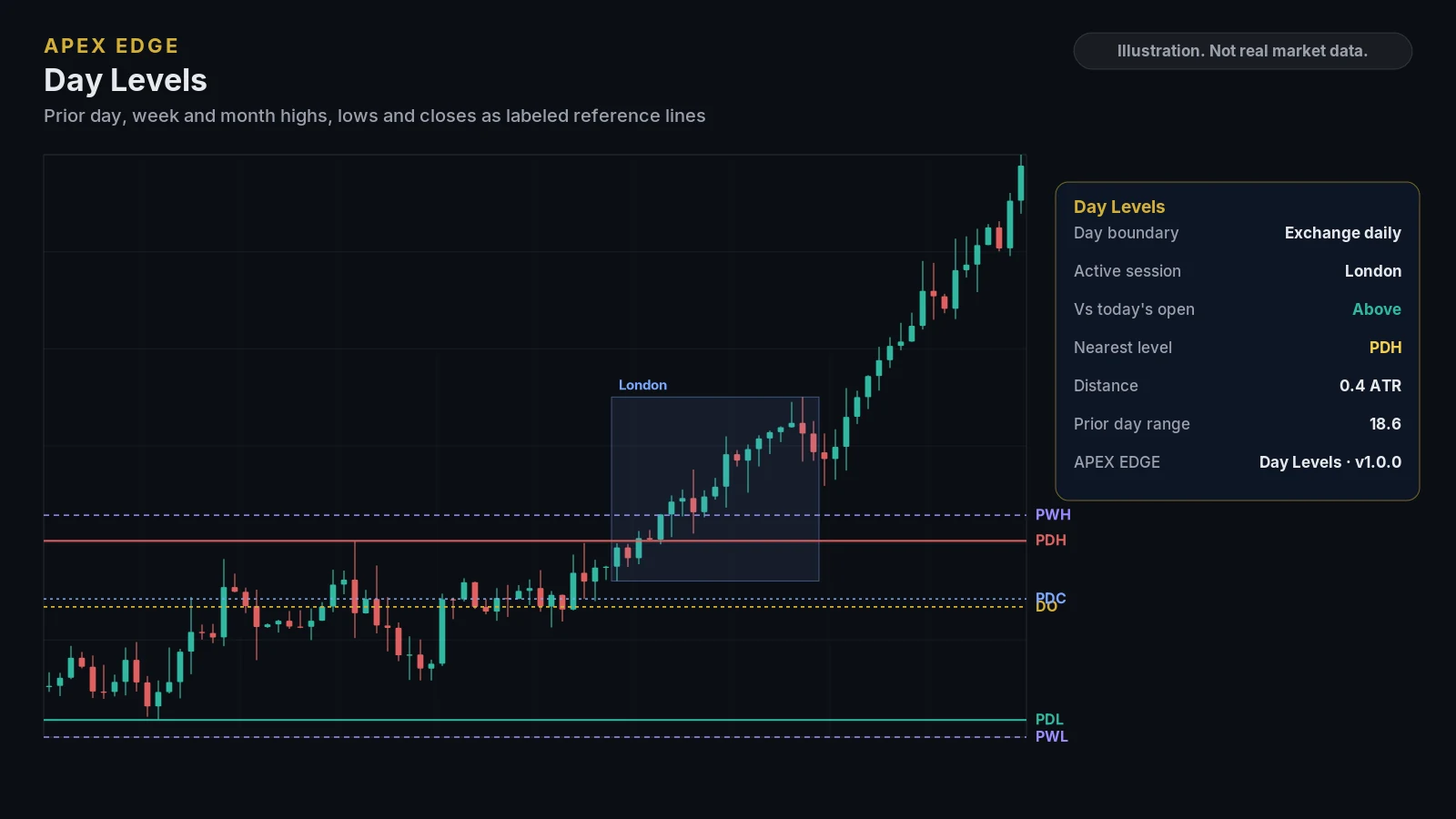
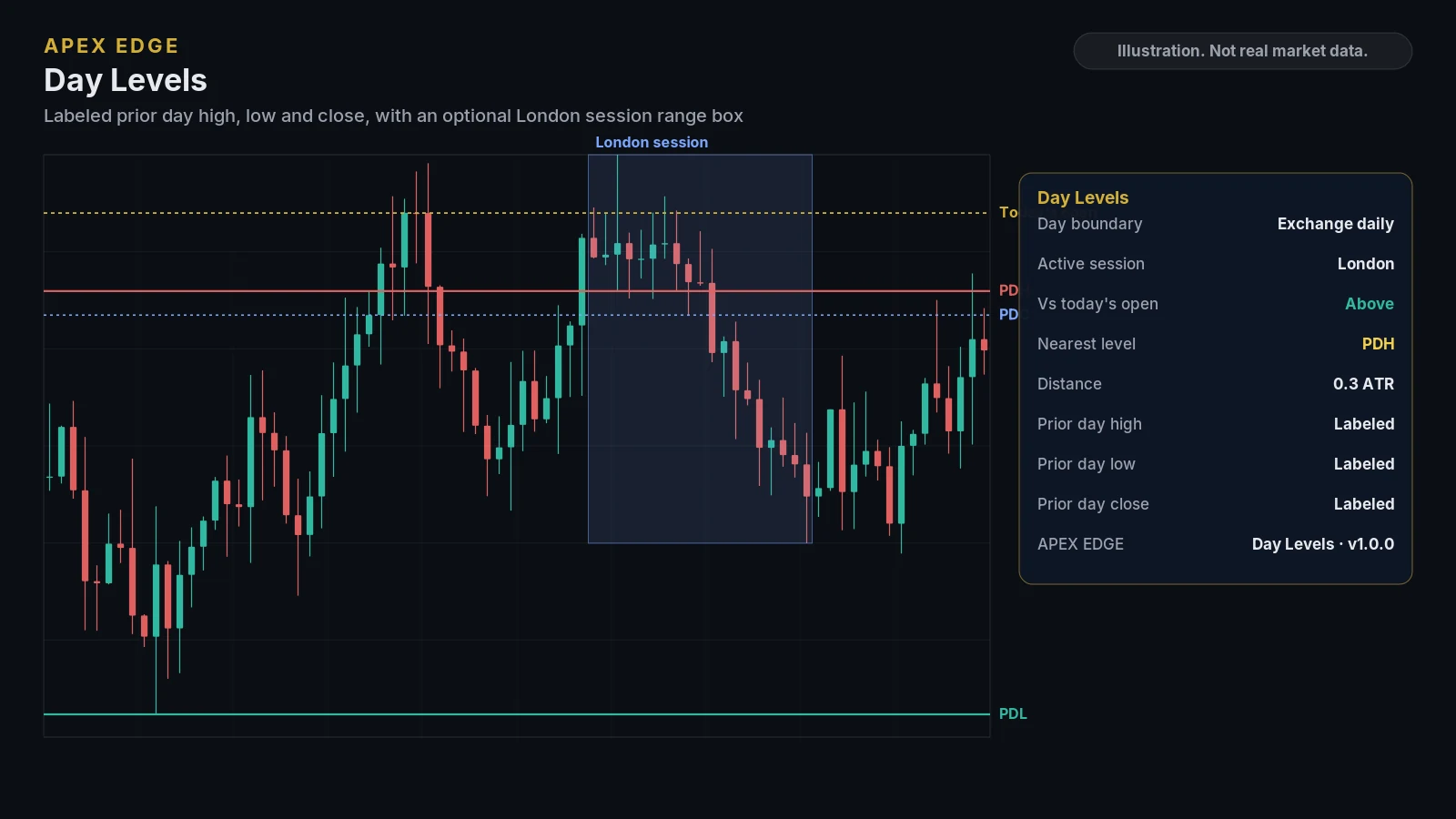
Illustrations drawn from sample data to show the layout. They are not real market data or TradingView screenshots. Education only, not personal advice.
Where to use itRecommended timeframe and markets
Any market, any timeframe
Works on any market. Session boxes and last-completed session levels are drawn only on chart timeframes shorter than one day. You can follow the symbol's daily candle or set a custom day start in a timezone you choose.
- A touch or close-across alert is a notification that price reached a visible level. It is not a recommendation to place an order.
AlertsBuilt-in TradingView alerts
- Touched a visible level
- Closed above or below a visible level
- Closed above prior day high or below prior day low
- Closed above or below today's open
- Closed above prior week high or below prior week low
- 9 alert conditions in total, plus Any alert()
Alerts are created from the TradingView alert dialog. Alert availability depends on your TradingView plan.
CustomizeSettings you can adjust
- Day boundary: exchange daily candle or a custom start hour and timezone
- Prior period levels: day, today's open, week, month, and mid-level toggles
- Sessions: timezone, Asia / London / New York windows, boxes and extended completed-session levels
- Alert options, including closed-bars-only for the Any alert() function call
- Colors, line style and width, right extension, prices on labels, and label size
- Dashboard visibility, position, size and footer
Before you subscribeRequirements
- A TradingView account (TradingView is a third-party platform and is not affiliated with Apex Edge).
- Your TradingView username, entered at checkout, so access can be added to your account.
- A charting tool only: it does not place orders or connect to your broker.
Keep exploringOther indicators
Put clearer structure on your TradingView charts
Pick the indicators you need or take them all. Cancel any time on Whop, and learn how everything works for free in our lessons first.