
Liquidity Map
Groups nearby confirmed swing highs into equal-high pools, and nearby confirmed swing lows into equal-low pools, then marks a pool as swept.
Illustrative graphic only. Not real market data.
OverviewWhat it does
Equal-high and equal-low pool boxes with touch counts, a swept state after a wick-through and close back inside, and a compact dashboard of open pools and the latest event.
FeaturesWhat is inside
Equal-high and equal-low pools
Nearby confirmed swings are grouped into EQH and EQL boxes, with the touch count on the label.
Swept state
A pool is marked swept when a later candle wicks through it and closes back on the inside.
Adjustable grouping
ATR tolerance, minimum touches, maximum age, and how many pools are kept.
Optional session filter
Only swings inside a chosen session window are added (off by default).
Branded dashboard
Open equal-high and equal-low counts, the nearest unswept pool, and the latest event.
On your chartWhat you will see
- Equal highsAn unswept EQH pool box with its touch count
- Equal lowsAn unswept EQL pool box with its touch count
- Swept poolA pool that has been wicked through and closed back inside
- DashboardOpen counts, nearest unswept pool and the latest event
A pool is marked swept only after a wick through and a close back on the inside. Read pools as reference areas for study, not as an instruction to trade.
Illustrated examplesWhat it looks like on a chart
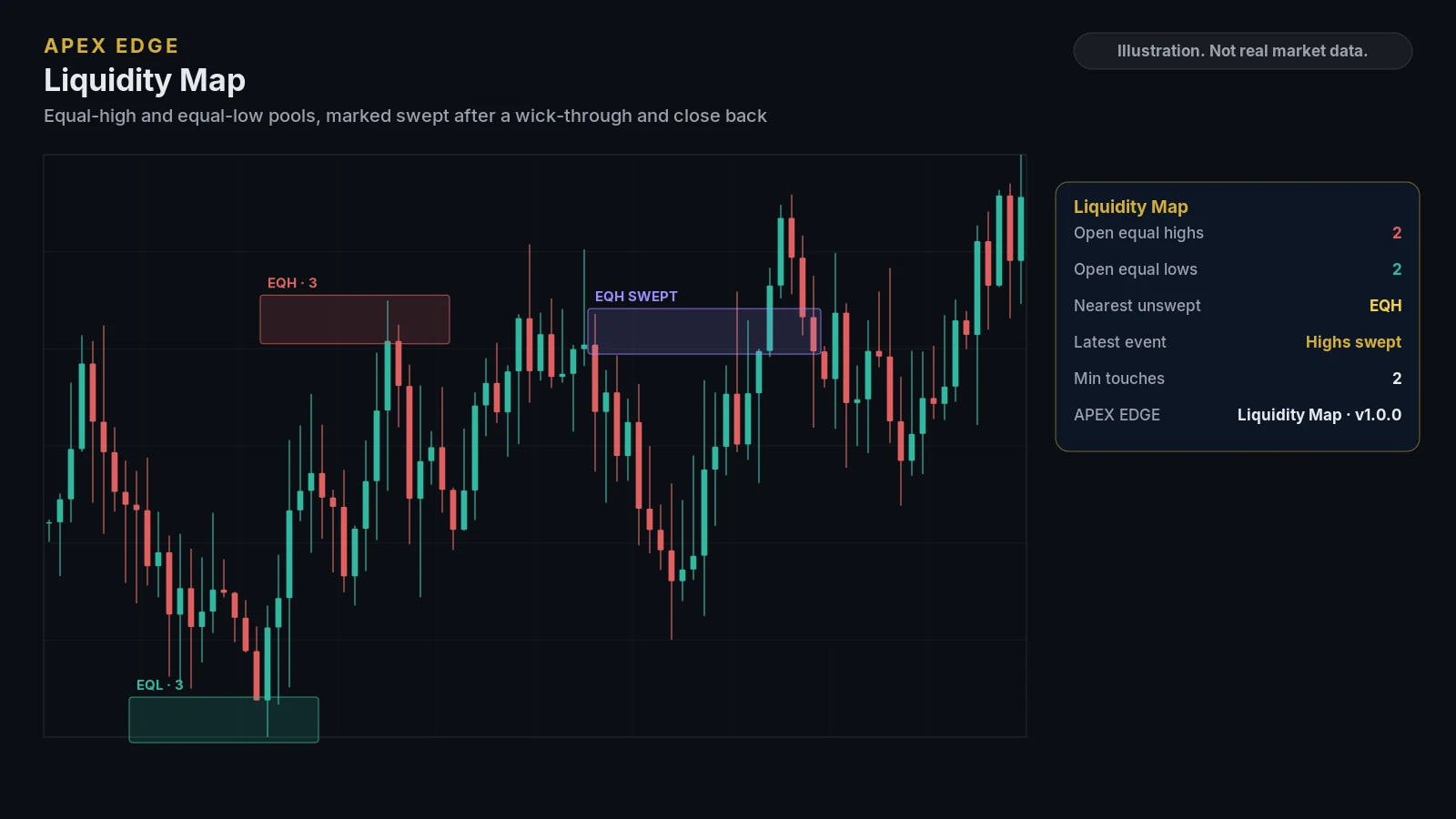
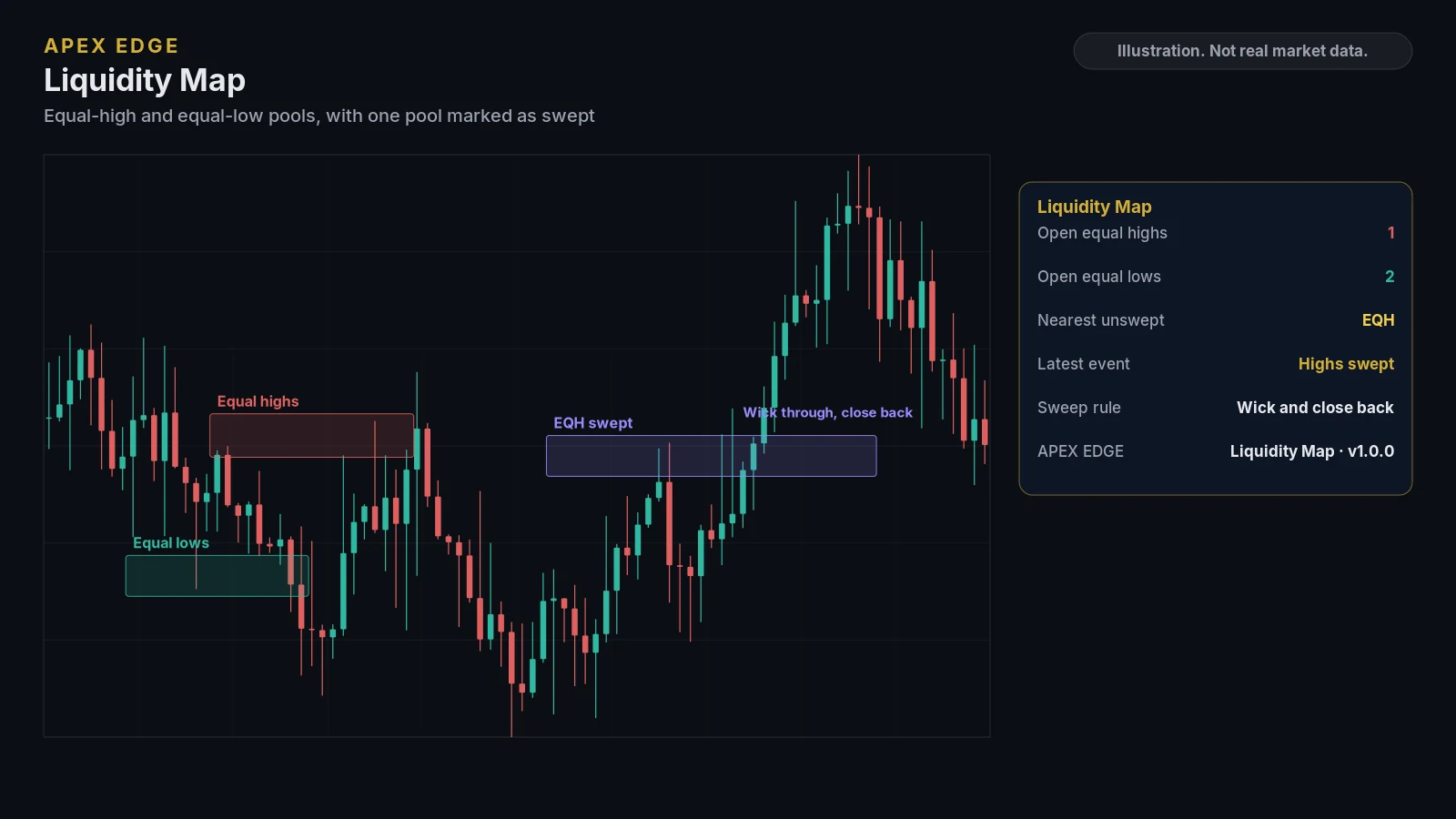
Illustrations drawn from sample data to show the layout. They are not real market data or TradingView screenshots. Education only, not personal advice.
Where to use itRecommended timeframe and markets
Any market, any timeframe
Works on any market. An optional session filter (off by default) can limit which swings are added to a pool.
- Alerts fire once the candle closes when you use the Any alert() option or choose Once Per Bar Close. They are not a recommendation to place an order.
AlertsBuilt-in TradingView alerts
- Equal highs formed
- Equal lows formed
- Equal highs swept
- Equal lows swept
- 4 alert conditions in total, plus Any alert()
Alerts are created from the TradingView alert dialog. Alert availability depends on your TradingView plan.
CustomizeSettings you can adjust
- Pivot length, ATR tolerance, minimum touches, maximum age and how many pools are kept
- Session filter on or off, and the session window
- Box colors, swept colors and labels
- Dashboard visibility, position, size and footer
Before you subscribeRequirements
- A TradingView account (TradingView is a third-party platform and is not affiliated with Apex Edge).
- Your TradingView username, entered at checkout, so access can be added to your account.
- A charting tool only: it does not place orders or connect to your broker.
Keep exploringOther indicators
Put clearer structure on your TradingView charts
Pick the indicators you need or take them all. Cancel any time on Whop, and learn how everything works for free in our lessons first.