
Imbalance Zones
Highlights price-imbalance gaps left by a three-candle impulse, and colors each zone by whether it is still unfilled, partly filled, or filled.
Illustrative graphic only. Not real market data.
OverviewWhat it does
Bullish and bearish imbalance boxes with fill-state colors, optional shrinking as a zone fills, size filters, and an optional higher-timeframe set on the same chart.
FeaturesWhat is inside
Bullish and bearish imbalance boxes
Zones are colored by whether they are still unfilled, partly filled, or filled.
Optional shrinking
The remaining open part of a zone can shrink as price trades into it.
Hide filled zones
Filled zones can be hidden (on by default).
Size filters
ATR and optional percent-of-price filters drop small imbalances.
Optional higher-timeframe zones
A second set can be drawn from a higher timeframe (default 4 hour), with a gold border so they stay distinct.
Branded dashboard
Open bullish and bearish counts, how many are partial, and the latest event, in a navy and gold table you can move and resize.
On your chartWhat you will see
- Bullish imbalanceAn unfilled or partial bullish gap box
- Bearish imbalanceAn unfilled or partial bearish gap box
- Higher-timeframe zoneOptional HTF boxes with a gold border
- DashboardOpen counts, partials and the latest event
A new chart-timeframe zone is posted on the bar after the third impulse candle closes. Read the boxes as reference zones for study, not as an instruction to trade.
Illustrated examplesWhat it looks like on a chart
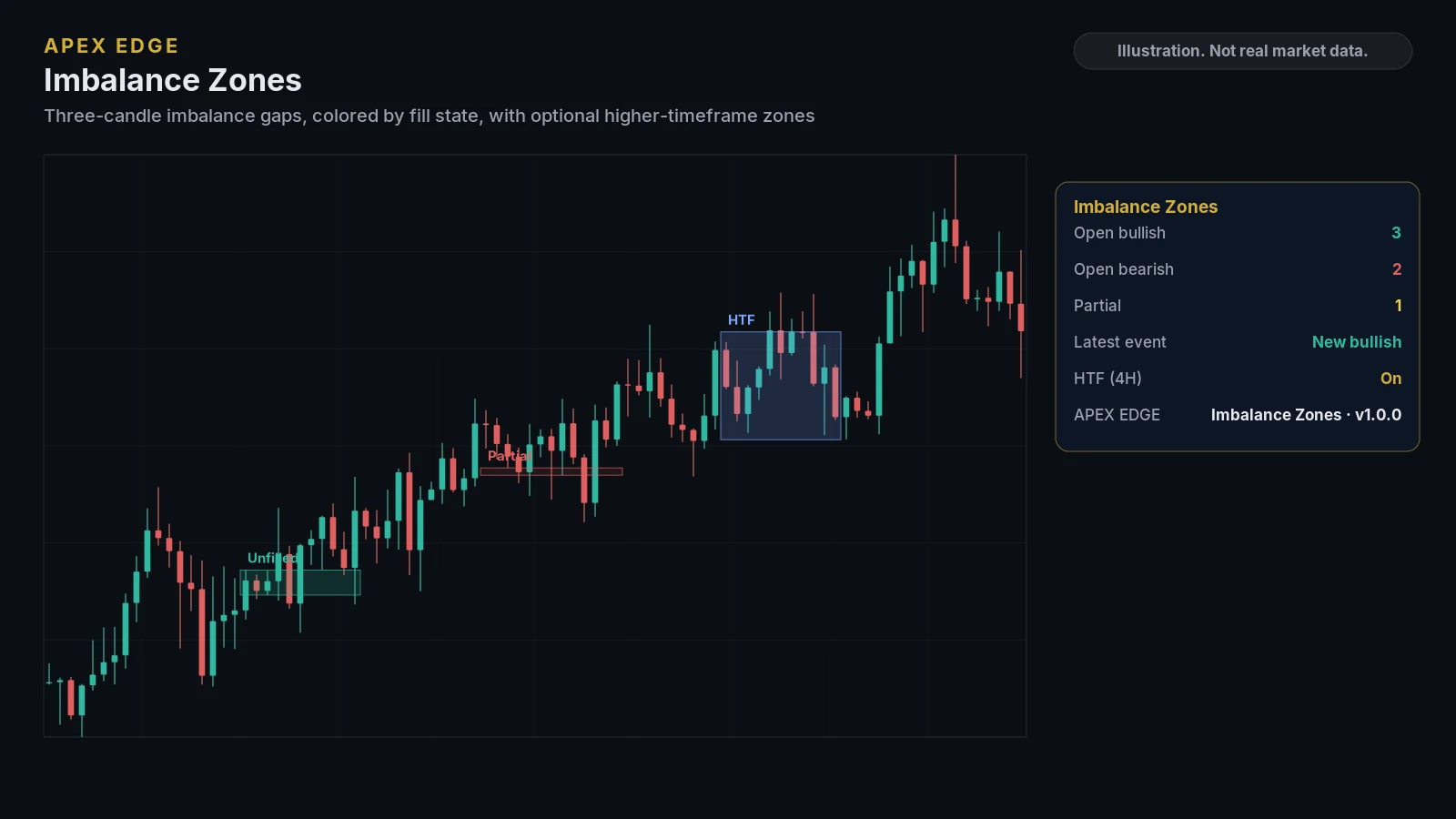
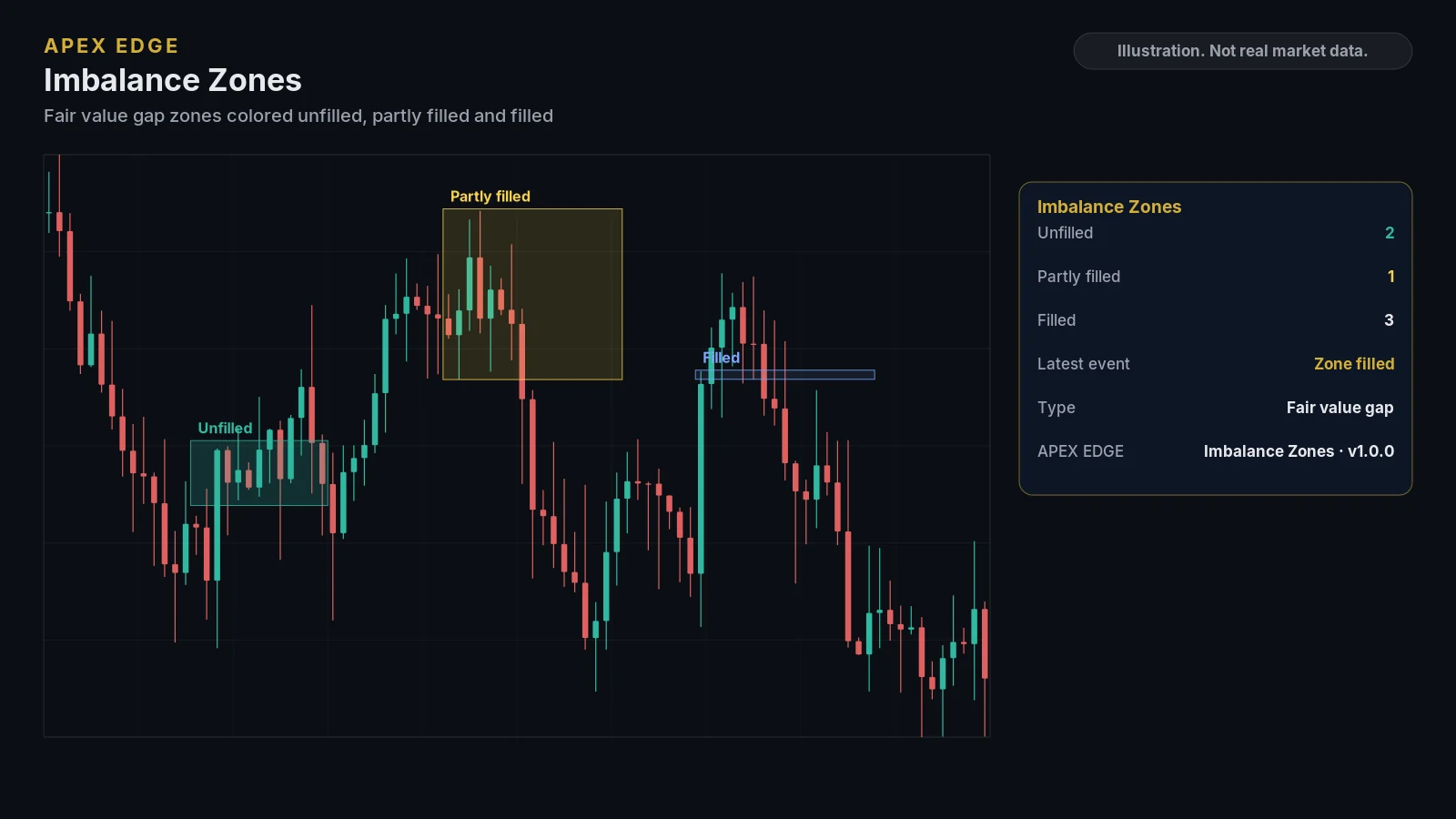
Illustrations drawn from sample data to show the layout. They are not real market data or TradingView screenshots. Education only, not personal advice.
Where to use itRecommended timeframe and markets
Any market, any timeframe
Works on any market and chart timeframe. Optional higher-timeframe zones are built from that timeframe's last completed candles, so they do not change while that candle is still open.
- Alerts fire once the candle closes when you use the Any alert() option or choose Once Per Bar Close. They are not a recommendation to place an order.
AlertsBuilt-in TradingView alerts
- New bullish imbalance
- New bearish imbalance
- Price entered a zone
- Zone filled
- 4 alert conditions in total, plus Any alert()
Alerts are created from the TradingView alert dialog. Alert availability depends on your TradingView plan.
CustomizeSettings you can adjust
- ATR length and minimum size, and the optional percent filter
- Impulse-candle requirement, how many zones are kept, hide-filled and shrink-as-it-fills
- Higher timeframe toggle, timeframe and how many HTF zones are kept
- Bullish and bearish fill-state colors, the HTF border, and labels
- Dashboard visibility, position, size and footer
Before you subscribeRequirements
- A TradingView account (TradingView is a third-party platform and is not affiliated with Apex Edge).
- Your TradingView username, entered at checkout, so access can be added to your account.
- A charting tool only: it does not place orders or connect to your broker.
Keep exploringOther indicators
Put clearer structure on your TradingView charts
Pick the indicators you need or take them all. Cancel any time on Whop, and learn how everything works for free in our lessons first.